
💡 How do I contact the User Success or Billing team?
If you need help with your Marvin account, billing, or scheduling, you can easily reach our support teams through your member portal.
Follow these steps:
-
Log in to your Marvin member portal.
From the left-hand menu, select Contact.
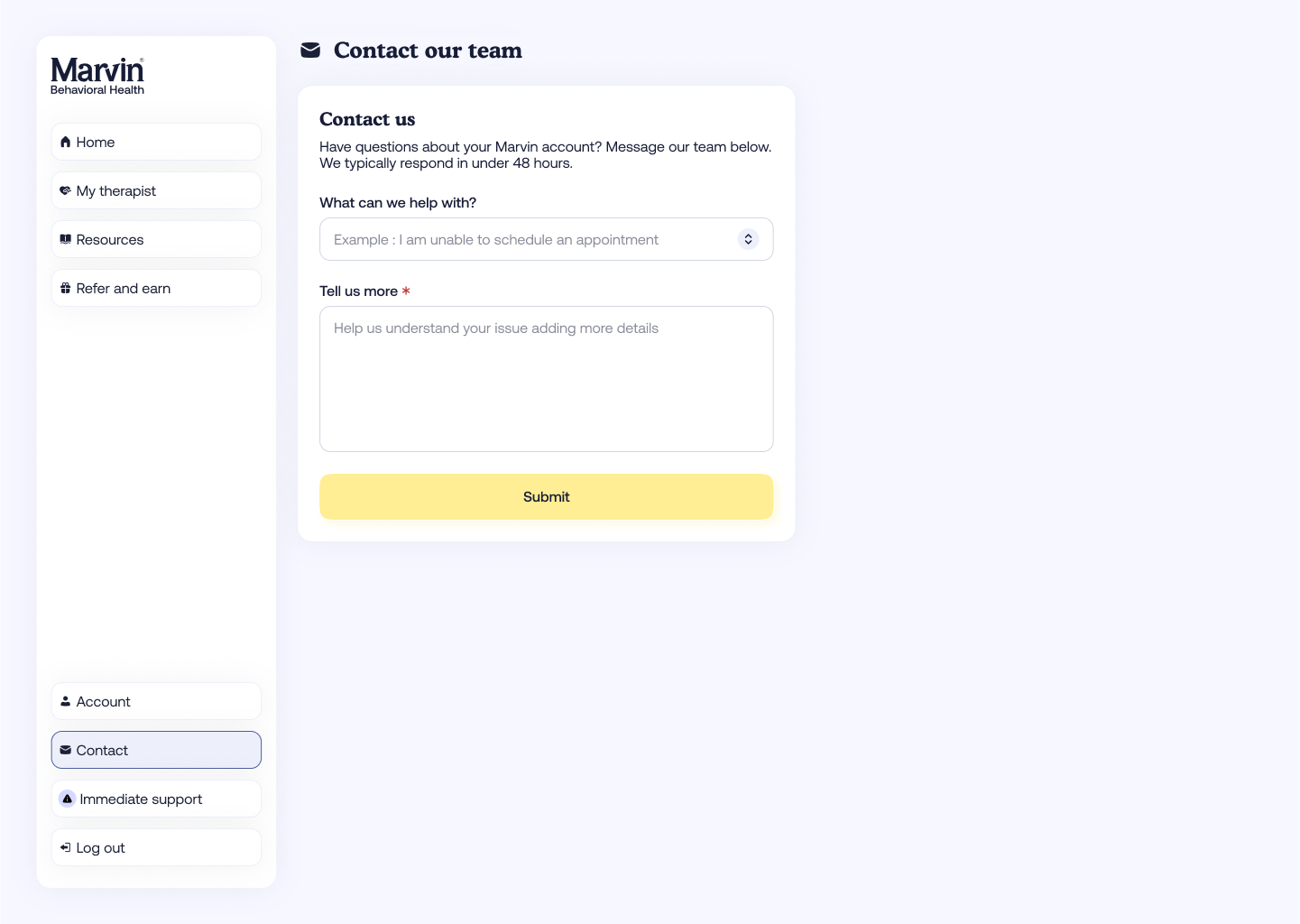
Under Contact our team, choose the topic that best matches your issue from the dropdown menu. Examples include:
- “I am unable to schedule an appointment”
- “I think there is a problem with my insurance”
- “I need financial support”
- “I received a bill I don’t understand”
- “I need help updating my account information”
- Use the Tell us more box to describe your issue in detail.
- Click Submit when you’re done.
Our User Success or Billing team (depending on your selection) will review your message and respond within 48 hours.