
How do I update my profile?
If you need to make changes to your personal or billing details, you can easily update them through your Marvin member portal. Follow these simple steps:
Steps
-
Log in to your Marvin member portal.
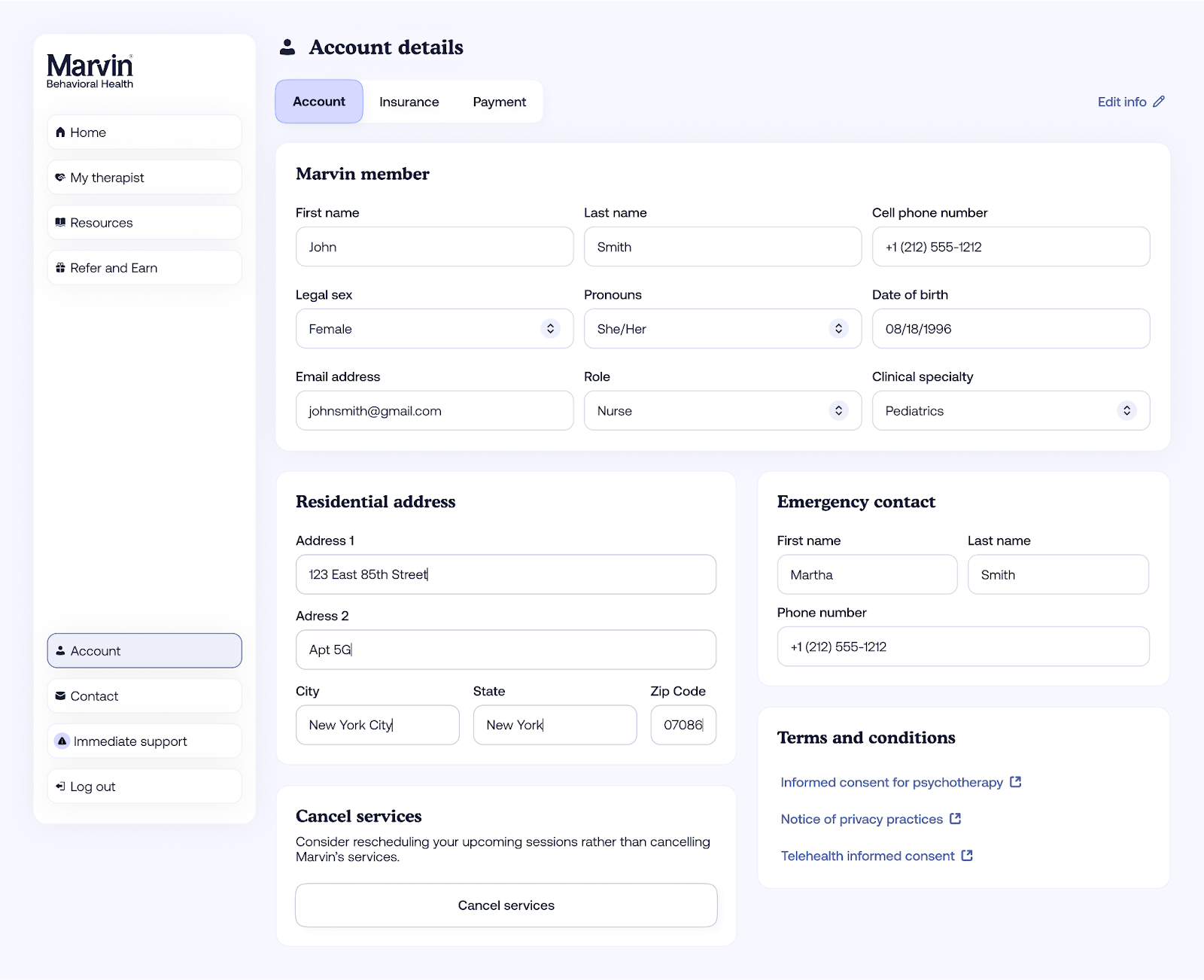
From the bottom-right menu, select Account.
Click Edit Info to update your contact information, insurance, or payment method.
You can modify the following details:
- Phone number
- Address
- Emergency contact
- Insurance information
-
Payment method
-
After making your changes, click Save.
- Your updates will appear immediately.
If you have any additional questions or require further assistance with updating your Account information, please feel free to reach out to user-success@meetmarvin.com.